 Squeezebox Studio
Any tune, as melodeon tab
Squeezebox Studio reads a tune in ABC or MusicXML and shows you which button to press and which way the bellows go, worked out for your own box. Then it plays it back as slowly as you like.

For iPad and Mac. Free to download, and your first tune is free.
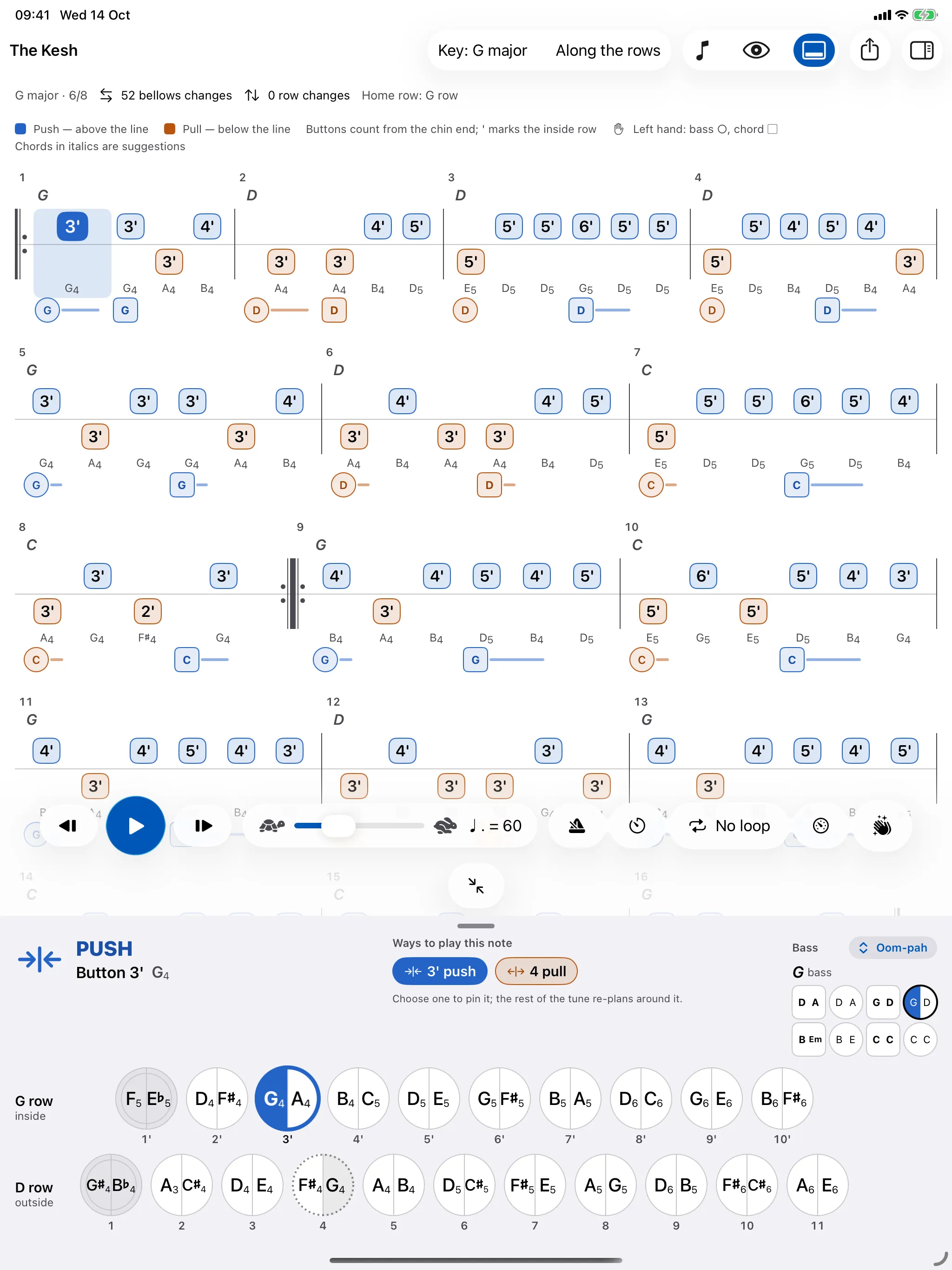
Tab for the box you actually play
Two-row D/G and G/C melodeons and the 21-key B/C button accordion are built in, each checked note for note against published charts. If yours has a different accidental, a fourth-button start or an odd bass, copy the nearest layout in My Boxes and change it button by button.
Boxes in other keys work the same way. Tell it your D/G is tuned down a fourth and it becomes an A/D, with every tune written for it.
See the button charts for the layouts themselves.
Every choice explained
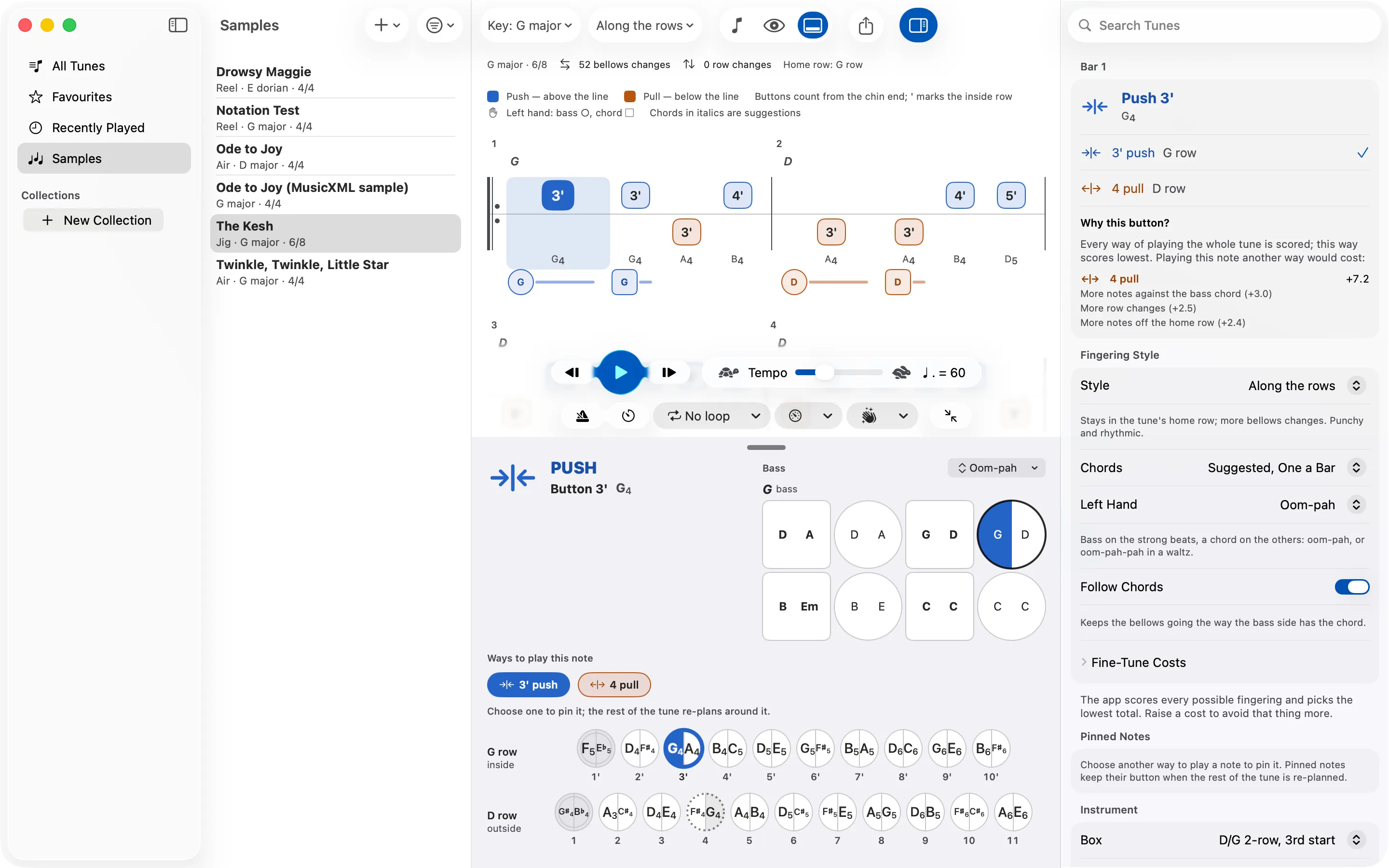
It plans the fingering for the whole tune at once rather than note by note, so a bellows change in one bar can save three in the next. You choose the style: along the rows, across them, or somewhere between.
Disagree with a button? Select the note and ask why. You'll see every other way of playing it and what each would cost in changes of bellows, changes of row and hand movement. Pin the one you prefer and the rest of the tune re-plans around it.
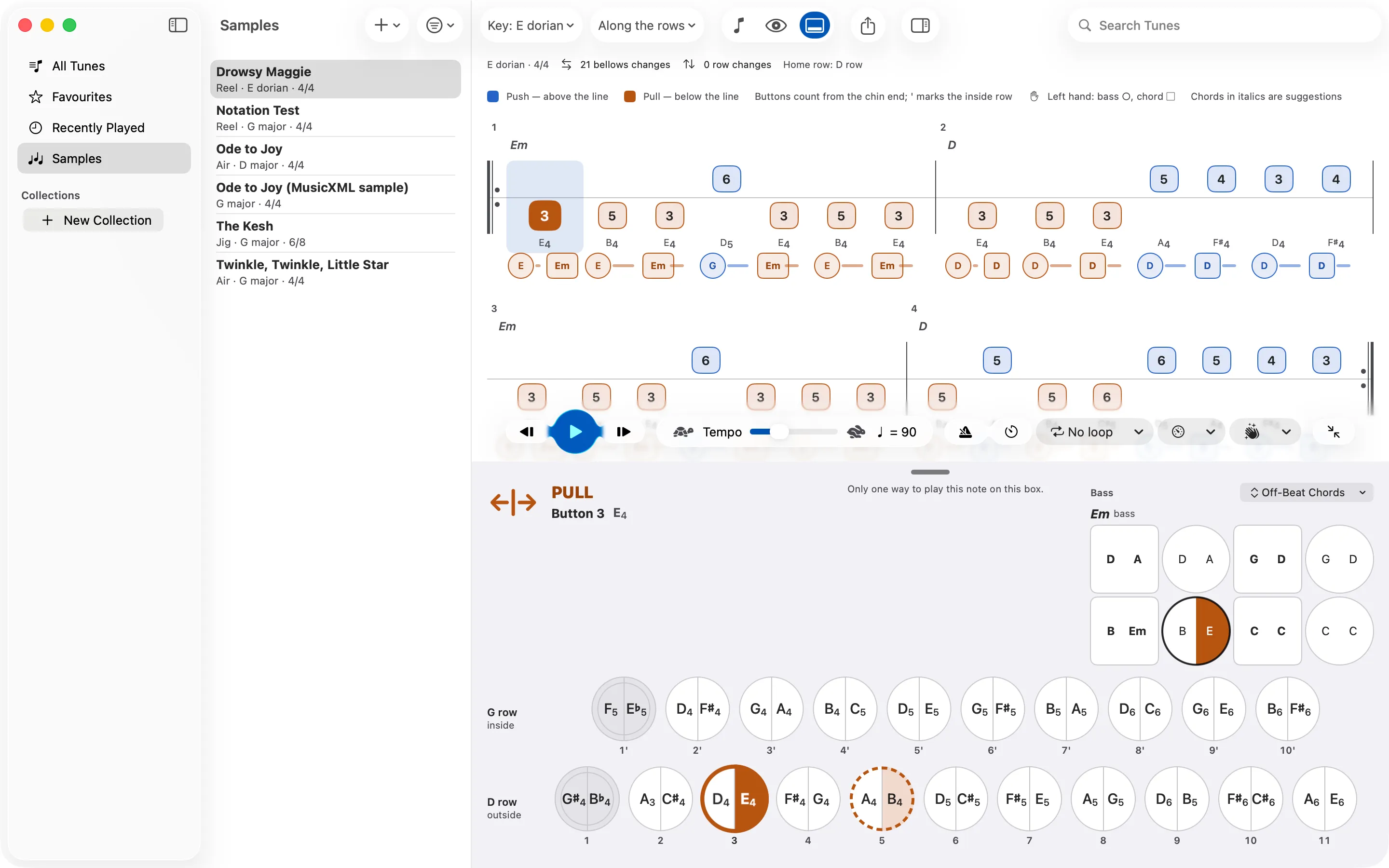
Basses that follow the bellows
Chords come from the tune when it has them, or are suggested from your box's own bass buttons when it doesn't. Pick oom-pah, off-beat chords, held chords or bass alone. Whatever the pattern, the left hand always goes the way the bellows are going, as it has to on a real box.
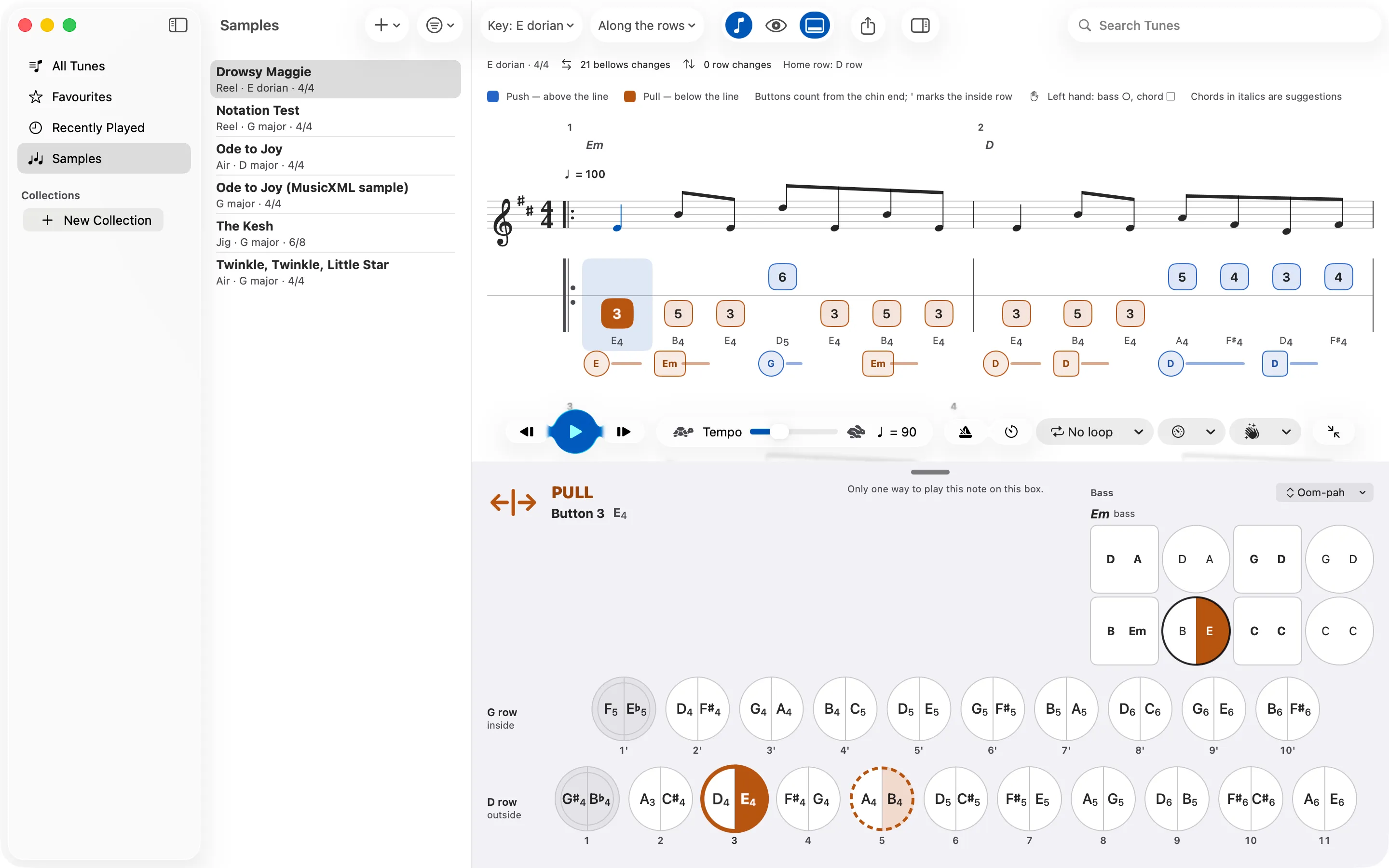
The dots, if you read them
Turn on the staff and each note sits directly above its button, ornaments, slurs, ties and repeats included. Leave it off and the tab stands on its own.
Slow it down, loop it, speed it up
Playback uses a two-reed melodeon sound with the bass and chords, so you hear the tune as it should sound on the box. Slow it down, loop a bar or a phrase, and let the speed trainer add a few beats a minute each time round. You can hear the tune alone, or just the bass and chords to play along with.
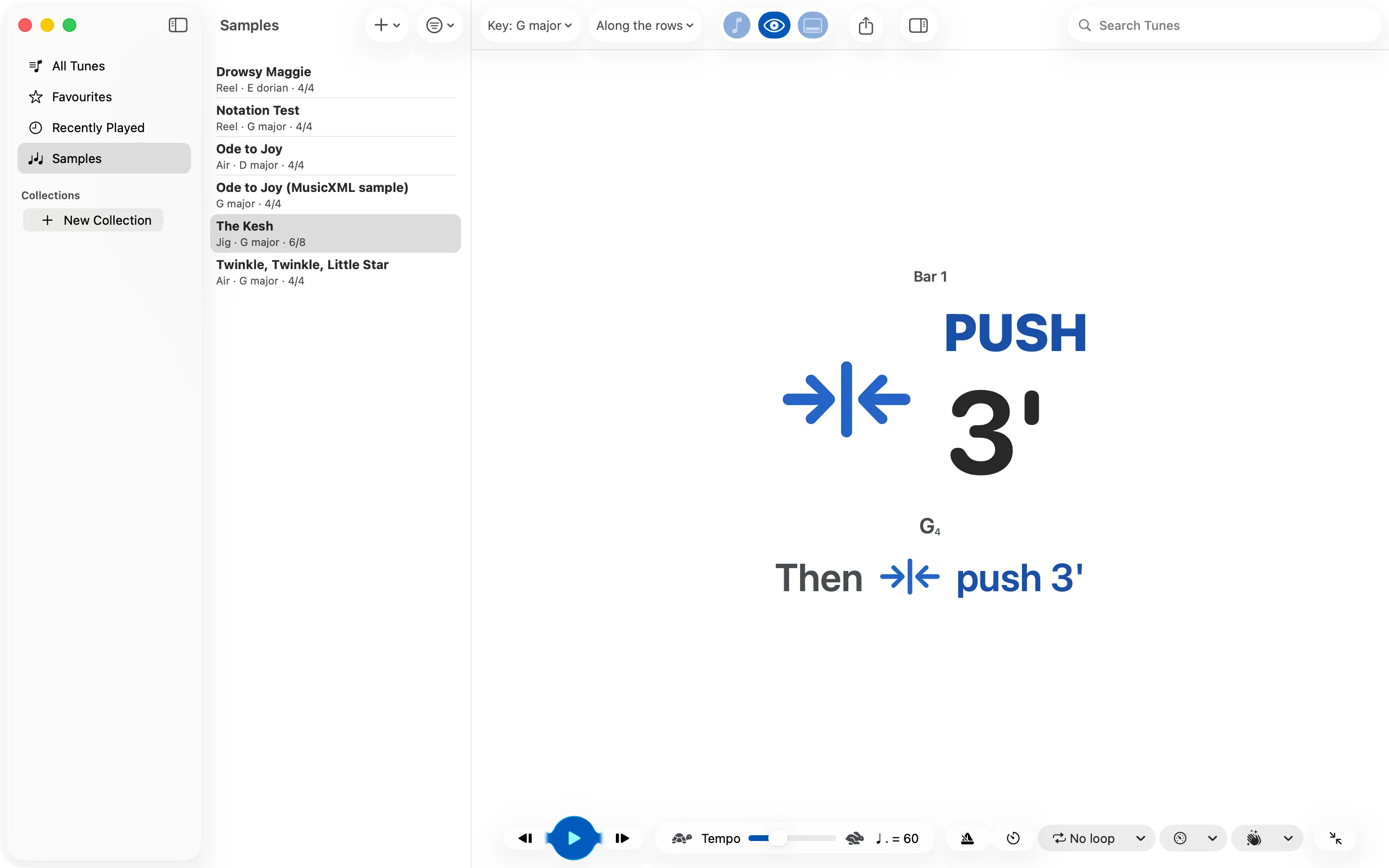
Your hands are busy, so the app doesn't need them. Step through with a page-turner pedal or the keyboard, turn on spoken cues, or switch to glance mode, which shows just the button and the bellows direction, big enough to read from a music stand.
Print it, or take it to MuseScore
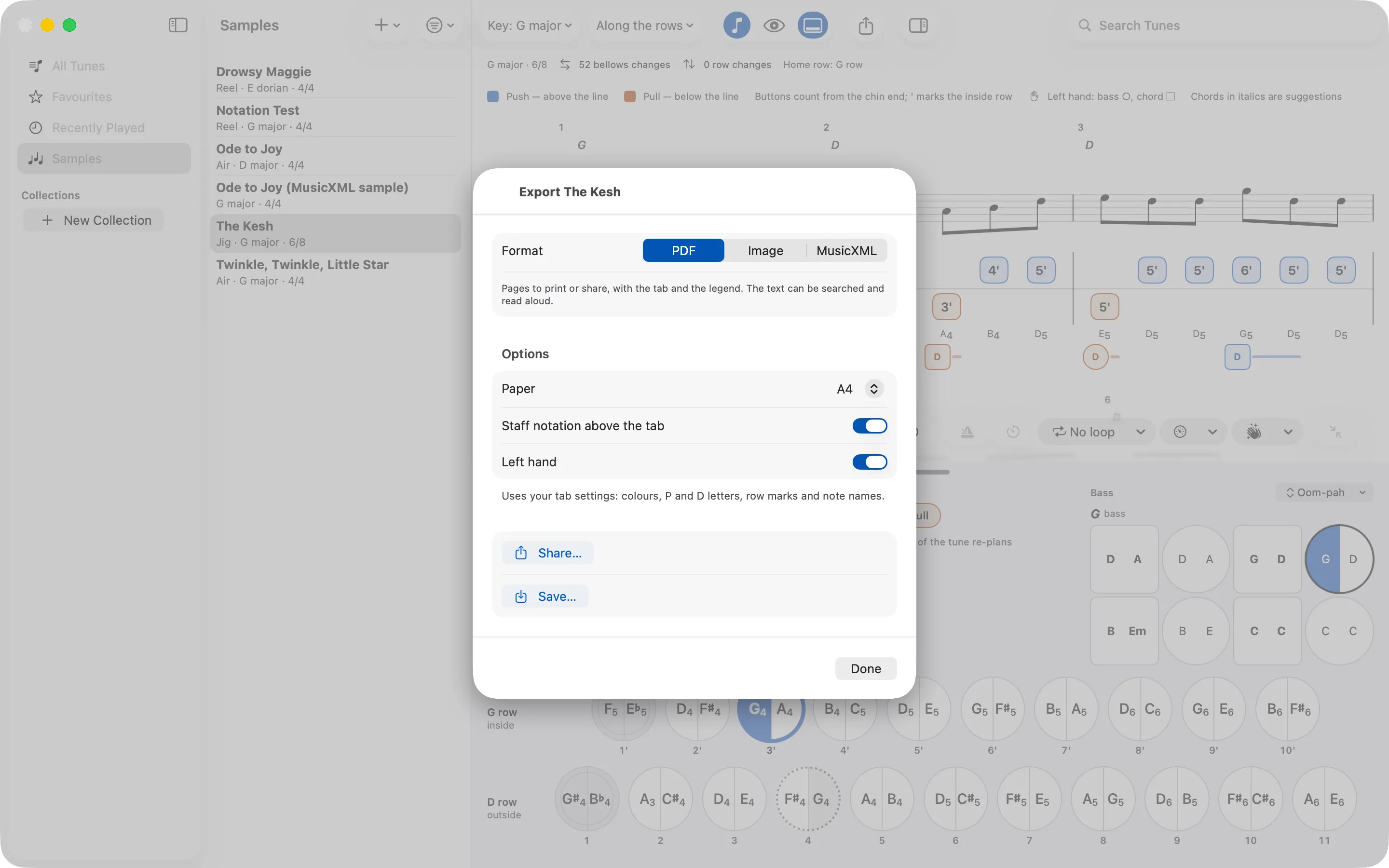
Export the tab as a PDF on A4 or Letter, with or without the staff and the left hand, or as a picture to send to a friend. MusicXML export writes each note's button into the score as fingering, above the staff on the push and below it on the pull, so it opens in MuseScore ready to edit.
Bring your own
The app doesn't come with a tune book. It reads ABC, the plain-text format that many folk tune collections online use, and MusicXML, which MuseScore and other notation programs save. Open a file, share it from another app, drag it in or paste the text. Files with many tunes in them work too, and collections keep your session sets together.
New to ABC? ABC notation for melodeon players explains it in a few minutes.
Price, devices and privacy
Free to download. Your first tune is free with everything working, and one purchase unlocks as many tunes as you like on both iPad and Mac. No subscription.
It needs iPadOS 26 or macOS 26. Your library, boxes and fingering choices sync between your devices through your own iCloud.
There's no account, no analytics and no tracking. VoiceOver reads every note with its button and bellows direction, and push and pull are always shown by position as well as colour.
Asked before
Which melodeons does it work with?
Two-row D/G and G/C boxes with a third-button start, and the 21-key B/C, are built in. If yours is different, open My Boxes, copy the nearest layout and change it button by button, bass side included. Boxes in other keys work too: a D/G tuned down a fourth becomes an A/D.
Where do I get tunes?
Squeezebox Studio doesn't come with tunes, so you bring your own in ABC or MusicXML. The Session and abcnotation.com have thousands of tunes in ABC, and MuseScore and most other notation programs save MusicXML. Open a file from Files, share it to the app, drag it in, or copy the ABC and paste it. ABC files with many tunes in them work too.
How does it decide which button to play?
It scores every way of playing the whole tune on your box, in the style you choose, and picks the one that scores best. Select a note and “Why this button?” shows what each other way of playing it would cost. If you prefer another button, pin it and the rest of the tune re-plans around it.
Can I print the tab or use it in MuseScore?
Yes. Export a tune as a PDF to print or share, as a picture, or as MusicXML with each note’s button written in as fingering, above the staff on the push and below it on the pull.
What does it cost?
It’s free to download, and you can try everything with your first tune. One purchase then unlocks as many tunes as you like, on both your iPad and your Mac. There’s no subscription.
Is there an iPhone version?
Not at the moment. Squeezebox Studio runs on iPad with iPadOS 26 and on Mac with macOS 26, and your library, boxes and fingering choices sync between them through iCloud.
Can I use it with VoiceOver?
Yes. VoiceOver reads every note with its button and bellows direction, text follows your size settings, and push and pull are shown by position as well as colour.
Does it collect my data?
No. There’s no account, no analytics and no tracking. Your tunes stay on your devices and in your own iCloud. The privacy policy has the details.
Something else? Support has more, and an email address that reaches a person.
Charts, keys and guides
Button charts for the D/G, G/C and B/C boxes and the Anahata layout, a page for every common key on each box, and guides to the questions players ask most.